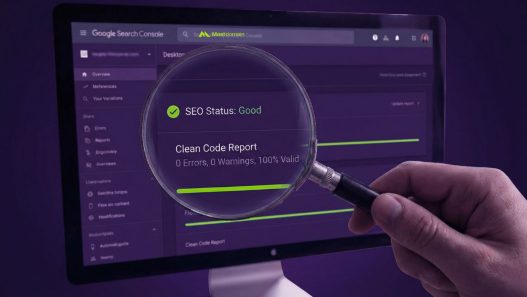






Google Search Console is a free tool from Google that helps you monitor, maintain, and troubleshoot your site’s presence in search results.
With this tool, you can understand how Google views your website, identify indexing issues, and analyze which keywords drive the most traffic accurately and in real-time.
Have you ever wondered why your website traffic dropped or why your pages do not appear on Google? 
Google Search Console provides clear answers through performance and security reports. You can fix technical errors, optimize page speed, and ensure your website is safe from malware to stay competitive at the top of Google search results consistently.
Start Verifying Your Website Quickly
The first step is to connect your website property. There are two main options: Domain Verification, which covers all subdomains, or URL Prefix, which is more specific to a single address. Choose the method that best suits your technical needs and the level of DNS access control you currently have.
Use the DNS verification method for more comprehensive results. Simply add a TXT record to your domain provider, and Google will automatically recognize your ownership. Once verified, data will start flowing within 24 to 48 hours, allowing you to perform deep analysis immediately.
Keyword Analysis and Search Performance
The Performance Report is the most crucial part of your content strategy. Here, you can see the number of clicks, impressions, and the average position of every keyword on Google. Use this data to identify which pages have high impressions but low clicks so you can optimize them right away.
Focus on the CTR (Click-Through Rate) metric to increase traffic without creating new content. If a keyword is already on the first page but gets few clicks, it means your meta title or description needs to be more appealing to your audience to encourage them to click your link.
| Key Metric | Short Description | SEO Benefit |
| Total Clicks | How many times users clicked to your site | Measures traffic success |
| Total Impressions | How many times your site appeared in search | Measures brand visibility |
| Average CTR | Percentage of impressions that resulted in clicks | Measures title relevance |
| Average Position | The average ranking of your site on Google | Monitors keyword competition |
Fixing Indexing and Coverage Issues
Indexing problems are often the main obstacle to SEO growth. Use the Indexing report to see which pages are marked as “Excluded” or “Error” and the technical reasons behind them. This ensures that all your high-quality content is actually in Google’s database and ready to be displayed.
Use the URL Inspection tool to check the status of individual pages. If you have recently updated an old article, use the “Request Indexing” feature so Google’s bots crawl the page again immediately. This is the fastest way to notify Google that your content is now much more relevant than before.
Optimizing User Experience and Mobile Usability
Google prioritizes mobile user experience through the Mobile Usability report. Ensure that no elements are too close together and that text is not too small to read on a smartphone. If this report shows a cross ✘, immediately fix your responsive website design for visitor comfort.
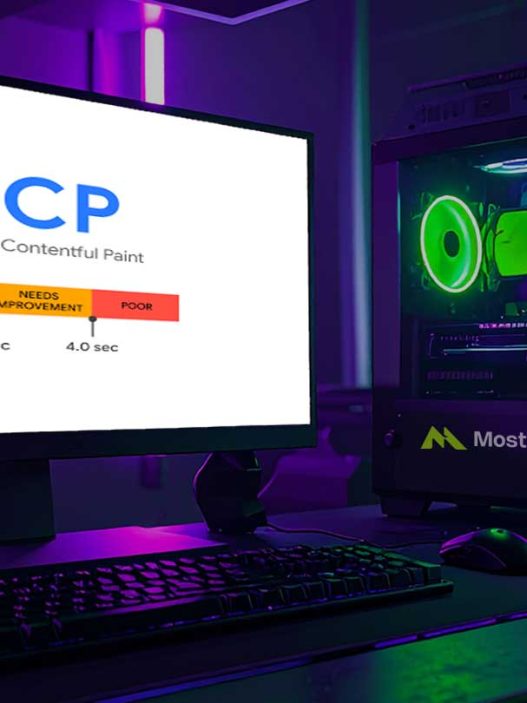
Core Web Vitals have also become a new standard in evaluating speed and visual stability. Check the Page Experience report regularly to ensure your website loads quickly and does not shift while loading. Fast and mobile-friendly websites will receive higher priority in the latest search algorithms.
Security and Google Manual Actions
Website security is a non-negotiable priority in the digital world. The Security Issues report will notify you if your site has been hacked or contains harmful scripts. Always ensure the status shows a checkmark ✔ to maintain Google’s trust and credibility in the eyes of your loyal visitors.
The Manual Actions report shows if your website violates Google’s quality guidelines. If you get a warning here, it means your site might be penalized due to unhealthy SEO practices. Immediately perform a self-audit and request a review after the issues are fixed according to Google’s regulatory standards.
Sitemap Strategy for More Effective Crawling
Submitting a Sitemap is the best way to help Google understand your website’s navigation structure. By uploading an XML sitemap file, you provide a clear roadmap for search bots to find new or rarely visited pages. This is highly effective for large-scale websites.
Ensure your sitemap only contains URLs that you want to be indexed and that the status is always updated. Avoid including URLs blocked by robots.txt or duplicate pages in the sitemap. Good sitemap maintenance will speed up the discovery of new content so your articles can appear faster in search results.
Data Integration with Google Analytics 4
Connecting Google Search Console with Google Analytics 4 (GA4) provides a much more complete data overview. You can see what users do after they click your website through search results. This data synergy is very helpful in making more data-driven and accurate marketing decisions.
Through this integration, you can see the correlation between search keywords and conversions or sales on your website. This data allows you to focus on producing content that not only drives traffic but also brings real profit to your business or the personal branding you are building.
Using GSC Insights to Win in 2026
Perform routine audits every month using data from Google Search Console. Pay attention to trends in keyword position changes and take action immediately if there is a drastic drop. SEO is not a one-time process but a continuous effort that requires constant data monitoring using the right tools.
Use the Search Appearance feature to monitor how your Rich Snippets appear on Google. If you use Structured Data, ensure there are no errors so that information like star ratings or product prices appears perfectly. A rich appearance in search results will automatically increase your website’s appeal compared to other competitors.
Routine GSC Optimization Checklist:
✔ Check the Indexing report to ensure there are no new errors.
✔ Monitor keywords with high impressions but low CTR.
✔ Ensure the Mobile Usability report stays green without technical issues.
✔ Update the sitemap if there are major category structure changes.
✘ Do not ignore security warnings or manual actions, no matter how small.
Steps to Successfully Manage Your SEO
Mastering Google Search Console is the main key for anyone serious about the digital world. This tool removes the guesswork from SEO and provides valid data directly from the source. By monitoring performance consistently and fixing technical errors quickly, you are one step closer to dominating the first page of search.
Start by checking your performance report today and find hidden opportunities from existing keywords. Remember that Google loves websites that are healthy, fast, and relevant. Make this tool your primary compass in your SEO journey to achieve stable and sustainable maximum results in the future.
References
- Google Search Console Official Documentation
- Google Search Central Blog
- Search Engine Journal Guide to GSC
- Moz Beginner’s Guide to SEO
- HubSpot SEO Marketing Analysis