







Improving website crawlability is the most critical foundation of any SEO strategy. If Google cannot access your pages, no amount of great content or backlinks will help you rank.
This guide walks you through proven, actionable steps to make your site fully crawlable and indexable.
What Is Website Crawlability
Website crawlability is how easily search engine bots can access, navigate, and read your pages without hitting dead ends. A crawlable site lets Googlebot discover all important pages through links, sitemaps, and proper technical configurations. Poor crawlability means your content stays invisible, no matter how good it is. 
| Crawlability | Indexability | |
| What it means | Can bots access your pages? | Can bots store and rank your pages? |
| Key factors | robots.txt, internal links, site speed | noindex tags, duplicate content, canonical |
| Result if broken | Pages not discovered | Pages not shown in search results |
How to Improve Website Crawlability Step by Step
1. Optimize Your XML Sitemap
XML sitemap optimization gives search engines a direct map to every important page on your site. Submit your sitemap through Google Search Console under the “Sitemaps” section, and only include canonical, indexable URLs.
Keep your sitemap clean by removing 404 pages, redirects, and noindex URLs. A bloated sitemap wastes crawl budget and sends mixed signals to Googlebot.
2. Configure robots.txt Correctly
Robots.txt configuration controls which parts of your site search engines can and cannot access. A single wrong directive can accidentally block your entire website from being crawled, causing rankings to collapse fast.
Only block pages that truly should stay private, like staging environments or admin areas. Never block CSS or JavaScript files that Googlebot needs to fully render your pages.
3. Fix Crawl Errors and Handle 404 Pages
Crawl error resolution starts in Google Search Console. Check the Coverage or Pages report for 4xx errors, soft 404s, and “Discovered but not indexed” pages, then fix each one by restoring the page or setting up a 301 redirect.
Every unresolved 404 wastes crawl budget and creates a dead end for users and bots alike. Run a site audit every 30 days to keep errors from building up.
4. Build a Smart Internal Linking Strategy
An internal linking strategy is how you guide crawlers from page to page across your entire site. Every important page should be reachable within 3 clicks from the homepage. Orphan pages with no internal links pointing to them are effectively invisible to Googlebot.
Link from your highest-traffic pages to newer or deeper content, and use descriptive anchor text that reflects what the target page is actually about.
5. Improve Site Speed and Core Web Vitals
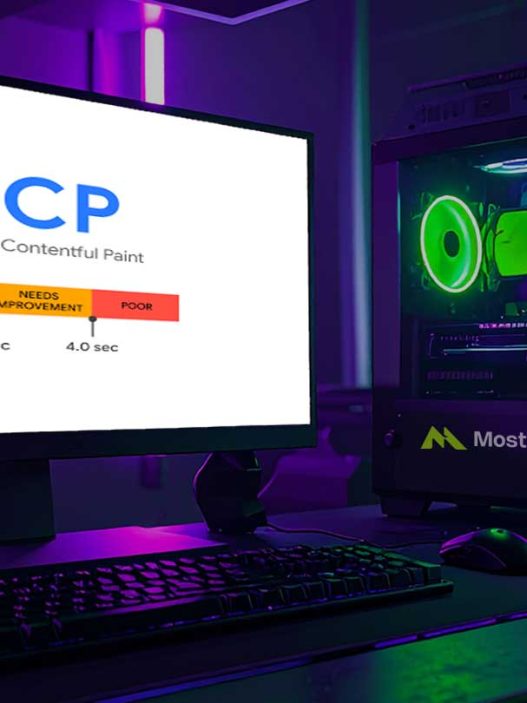
Site speed improvement directly impacts how many pages Googlebot can crawl in a session. A slow site causes crawlers to leave before they finish, leaving critical content undiscovered. Target LCP under 2.5 seconds, INP under 200 ms, and CLS below 0.1.
Compress images to WebP format, minify CSS and JavaScript, enable browser caching, and use a CDN. Monitor progress weekly with Google PageSpeed Insights.
6. Use Canonical Tags to Reduce Duplicate Content
Canonicalization practices tell Google which version of a page is the original, authoritative one. Without canonical tags, duplicate content splits crawl budget across multiple near-identical URLs, diluting your ranking signals.
Add rel=”canonical” self-referencing tags on every page. For product pages with sorting or filtering parameters, point all variations back to the clean canonical URL.
7. Manage URL Parameters
URL parameter management prevents Googlebot from crawling thousands of near-identical pages generated by filters, trackers, or session IDs. Use Google Search Console’s URL Parameters settings or canonical tags to consolidate these variations into one preferred URL.
Parameterized URLs that serve no unique content should be blocked in robots.txt or excluded via canonical tags to protect crawl budget for pages that actually matter.
8. Implement Structured Data Markup
Structured data markup helps Googlebot understand your content beyond plain text. Schema improves your chances of appearing in rich results like featured snippets, People Also Ask boxes, and AI Overviews.
Add Article, FAQPage, and BreadcrumbList schemas using JSON-LD format. Validate your markup with Google’s Rich Results Test before going live.
9. Set Up Breadcrumb Navigation
Breadcrumb navigation creates a clear content hierarchy that helps both users and crawlers understand how your pages are organized. It reduces click depth and shows Google the relationship between your pages.
Enable BreadcrumbList schema alongside visible breadcrumbs on every page. This also increases the chance of breadcrumb trails appearing directly in your Google search listings.
10. Ensure Mobile-Friendliness
Mobile friendliness is non-negotiable because Google uses mobile-first indexing. If your mobile version is harder to crawl than your desktop version, your entire site suffers in rankings.
Test your site with Google’s Mobile-Friendly Test. Ensure all text is readable without zooming, buttons are tappable, and all content visible on desktop is equally accessible on mobile.
11. Switch to HTTPS
HTTPS implementation is a confirmed Google ranking signal and a basic trust indicator for users. HTTP pages may be flagged as “Not Secure,” reducing both user trust and crawl priority from Google.
Migrate all pages to HTTPS with proper 301 redirects from all HTTP versions. After migration, check for mixed content warnings where HTTP assets still load on HTTPS pages.
12. Control Pagination
Pagination control prevents duplicate content across blog archives, product listings, and category pages. Use rel=”next” and rel=”prev” attributes where applicable, and ensure each paginated URL adds genuinely unique content.
For large catalogs, limit pagination depth so crawl budget stays focused on high-value pages. Infinite scroll needs additional SEO implementation to remain crawlable.
Monthly Crawlability Checklist
Run this audit every 30 days to maintain a healthy, crawlable site.
| Task | Status |
| XML sitemap submitted to Google Search Console | ✅ |
| robots.txt reviewed and tested | ✅ |
| All crawl errors resolved (404, 5xx, soft 404) | ✅ |
| Every important page reachable within 3 clicks | ✅ |
| Core Web Vitals meet Google’s thresholds | ✅ |
| Canonical tags on all pages | ✅ |
| URL parameters properly managed | ✅ |
| Structured data validated | ✅ |
| Site is fully on HTTPS | ✅ |
| Mobile rendering tested | ✅ |
| Blocking CSS or JS files in robots.txt | ❌ |
| Noindex tags on important pages | ❌ |
| Orphan pages with no internal links | ❌ |
| Unresolved redirect chains (3+ hops) | ❌ |
Frequently Asked Questions
What is website crawlability in SEO?
Website crawlability is how easily search engine bots can access and navigate your site’s pages. A crawlable website allows Googlebot to discover all important content through internal links, sitemaps, and proper technical setups without hitting errors or restrictions that cause it to stop.
What causes crawl errors on a website?
Crawl errors are usually caused by broken internal links, incorrect robots.txt rules, slow server response times, and pages returning 4xx or 5xx HTTP status codes. Running regular site audits in Google Search Console helps you find and fix these before they hurt your rankings.
How does internal linking affect crawlability?
Internal links act as pathways for crawlers to discover and revisit pages. Pages with more internal links pointing to them receive more crawl attention and are indexed faster. Orphan pages with zero internal links are rarely crawled and almost never ranked.
What is crawl budget and why does it matter?
Crawl budget is the number of pages Googlebot will crawl on your site within a set timeframe. For large websites, this is especially important. Wasting crawl budget on low-value or duplicate pages means important pages get crawled less often, slowing down indexing significantly.
Build a Site Google Actually Wants to Crawl
Improving website crawlability is not a one-time fix. Search engines evolve, your site grows, and new issues surface over time. Start with a full audit in Google Search Console, prioritize crawl error fixes and sitemap optimization, then work through each step in this guide systematically. A well-crawled site is the foundation every other SEO effort depends on.
References
- Google Search Central. Crawling and Indexing Documentation. developers.google.com
- Search Engine Journal. 13 Steps to Boost Your Site’s Crawlability and Indexability. searchenginejournal.com
- Semrush Blog. Crawlability and Indexability: What They Are and How They Affect SEO. semrush.com
- Wix SEO Hub. Intro to Technical SEO: Improve Your Crawling and Indexing. wix.com
- Traffic Think Tank. 10 Steps to Improve Your Website Crawlability and Indexability. trafficthinktank.com
- Logical Position. How to Improve Your Website’s Crawlability and Indexability. logicalposition.com